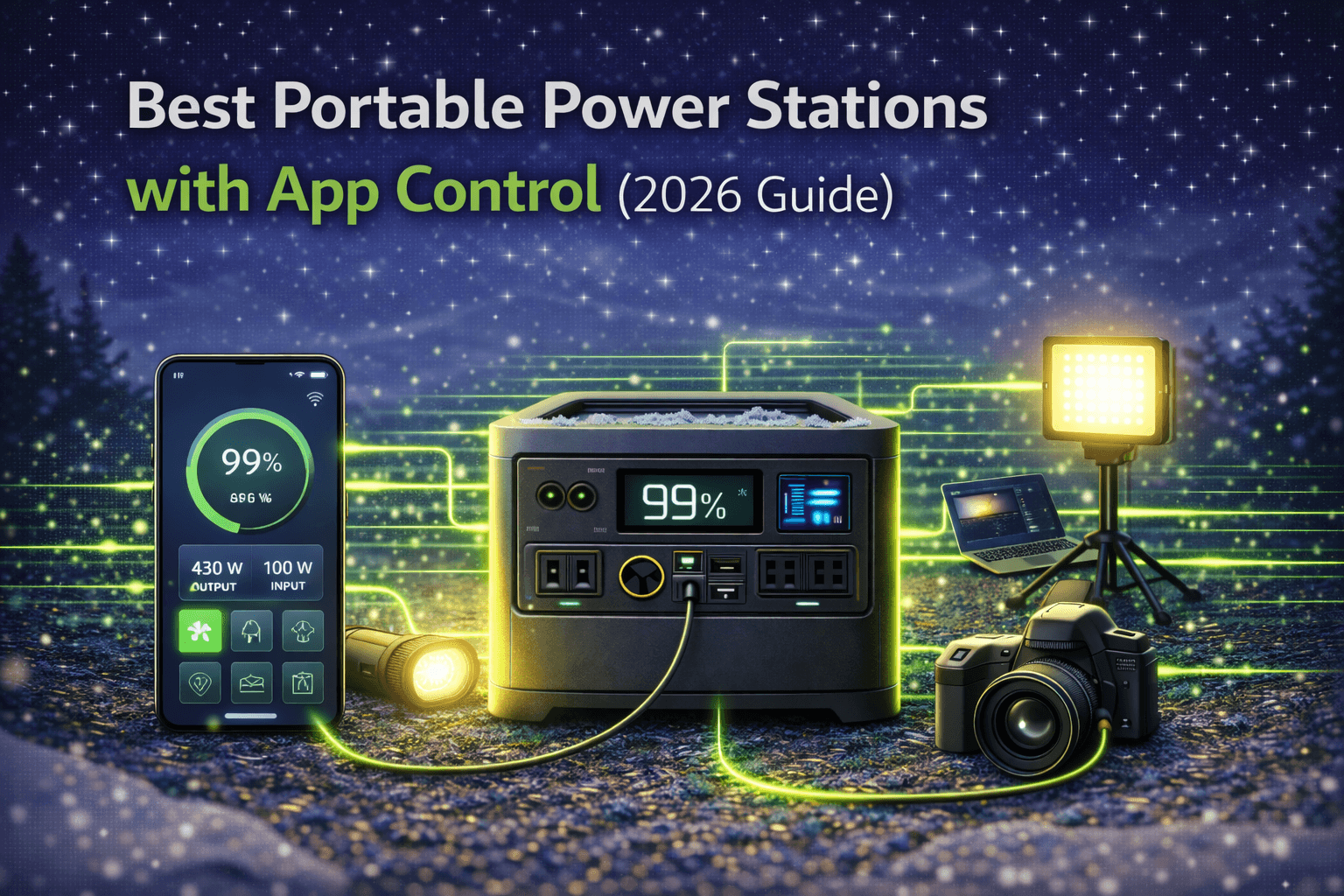
A smartphone app turns a portable power station from a dumb battery box into a connected device you can actually manage. Check battery status from inside your tent without trudging across the campsite. Get a push notification when your battery drops below 20%. Schedule charging to avoid peak electricity rates. Turn off a forgotten outlet remotely instead of walking back to the garage.
But here’s the thing most buyers don’t consider: app features add $100–300 to the price. That premium is absolutely worth it if you use your power station daily for off-grid living, RV setups, or home backup — situations where remote monitoring saves real time and automation provides real optimization. It’s questionable if you camp twice a year and the unit sits in your garage 350 days out of 365. Walking 20 feet to check a display costs nothing.
This guide breaks down which app features actually matter, which are marketing padding, and which models deliver the best smart experience at each price point. If you’re already clear on capacity and output needs (if not, start with our buying guide), this helps you decide whether the app premium is worth your money — and which app to bet on.
Note: This guide contains affiliate links. If you purchase through our links, we may earn a commission at no extra cost to you.
What App Features Actually Do (and Which Ones Matter)
Not all app features are created equal. Some you’ll use daily; others you’ll open once, think “neat,” and never touch again. Here’s an honest breakdown.
Real-Time Monitoring — The Feature That Justifies the App
Every decent app shows battery percentage remaining, current input/output wattage, and estimated runtime at current draw. This basic dashboard is the reason 90% of app users open the app in the first place.
For stationary setups — RV installations, home backup in the garage, off-grid cabins — this is genuinely valuable. Checking battery status and solar generation 3–5 times daily from inside the house or RV instead of walking outside to read the display saves real effort over weeks and months. During extended RV testing, remote monitoring eliminated 20+ unnecessary trips to the unit over a single week. That convenience alone justified the app.
For weekend campers, the math doesn’t work as well. You’ll check status maybe 4 times across a 2-day trip. At 10 seconds per walk to the unit, you’re saving 40 seconds total. Not exactly life-changing.
Consumption Analytics — Powerful for Optimizers, Ignored by Everyone Else
Advanced apps graph your power usage over time: hourly, daily, weekly views showing consumption patterns. Some break down usage by outlet, showing exactly which device eats the most power.
If you actively optimize your power usage — identifying vampire loads, finding inefficient devices, shifting heavy consumption to peak solar hours — these analytics are gold. During off-grid testing, consumption graphs revealed a mini-fridge drawing 1,200Wh daily, nearly 40% of total consumption. Swapping to an efficient model cut that in half, saving 600Wh daily. The app made that invisible waste visible.
But most people download the graphs once, think “interesting,” and never look again. If you’re not the type to analyze spreadsheets of your own energy consumption, you’re paying for features that’ll collect dust.
Remote Control — Convenient, Not Essential
Turn outlets on/off from your phone, adjust charging rates, switch power modes. The practical scenario: you left a laptop charger plugged in and it’s draining the battery overnight. Turn off the outlet from bed instead of getting up.
In real use, remote control came up 2–3 times per month — nice when it happened, but never critical. You can always walk to the unit and press a physical button. It’s a convenience feature, not a necessity.
Automation and Scheduling — Power User Territory
Premium apps support rules: charge only during off-peak hours, cut off outlets in priority order as battery depletes, automatically disable non-essential loads below a set threshold. This is sophisticated power management that’s genuinely valuable for daily off-grid use or home backup where electricity cost optimization matters.
The catch: setting up automation rules requires understanding power management concepts, device priorities, and thresholds. Most users never configure a single automation rule despite having the capability. If you won’t invest 30 minutes setting up rules, you won’t benefit from this feature.
Firmware Updates — Quietly the Most Universally Valuable Feature
App-connected units receive firmware updates wirelessly: efficiency improvements, new features, bug fixes. Without an app, updates require USB sticks, specific procedures, and technical knowledge — most users never bother.
Real example: EcoFlow Delta Pro received an update that improved AC charging efficiency by 8% and added smart load management features. Installed via the app in 10 minutes. A unit without app connectivity would have stayed on the old firmware indefinitely for most owners.
The Honest Value Hierarchy
Worth the premium for almost everyone: Basic monitoring, firmware updates.
Worth it if you’ll actually use them: Consumption analytics (active optimizers), remote control (stationary installations).
Worth it for power users only: Automation, scheduling, smart home integration.
If you’re honest about which category you fall into, the decision on whether to pay the app premium becomes straightforward.
Best Portable Power Stations with Apps
1. EcoFlow Delta Pro — Best Overall App Experience
The EcoFlow Delta Pro delivers the most sophisticated app in portable power. Per-outlet consumption tracking, extensive automation rules (time-of-use scheduling, priority-based load shedding), dual WiFi + Bluetooth connectivity for both local and remote access, and frequent firmware updates that genuinely improve the unit over time. The EcoFlow app isn’t a companion gimmick — it’s a legitimate power management tool.
| Feature | Detail |
|---|---|
| Capacity | 3,600Wh (expandable to 25kWh) |
| AC Output | 3,600W continuous (7,200W surge) |
| Weight | 99 lbs (wheeled, semi-permanent) |
| Battery | LiFePO4, 3,500+ cycles |
| Connectivity | WiFi + Bluetooth (dual) |
| App Features | Per-outlet tracking, automation rules, TOU scheduling, load shedding, alerts, remote access |
| Firmware Updates | Monthly typical |
| Smart Home | Smart Home Panel integration, circuit-level control |
| Warranty | 5 years |
| Price | ~$1,599–2,499 (base unit) |
Per-outlet tracking in practice: The app shows power draw for each AC outlet individually. During testing, this caught a multi-device charger pulling 45W continuously despite appearing “off” — that’s 45W × 24 hours = 1,080Wh per day of invisible waste, roughly 30% of daily consumption. You can’t optimize what you can’t measure, and no other app at any price measures at this granularity.
Automation that works: Configured the Delta Pro to charge only during solar hours (9am–4pm), disable non-essential outlets when battery dropped below 40%, and send push alerts at 20%. This automated power management ran unattended for months, preventing unexpected shutdowns and maximizing solar self-consumption — management that would be impossible manually.
WiFi + Bluetooth connectivity means you can monitor from anywhere on your property (WiFi) or directly when off-grid (Bluetooth). The app connected instantly, refreshed in real-time, and maintained reliable connections throughout a 35-foot RV and across a 50-foot yard between garage and house.
Who this is for: Daily users managing off-grid systems, home backup installations, or RV setups where power optimization directly saves money and prevents problems. The app justifies the investment for anyone running the Delta Pro as critical infrastructure rather than occasional equipment.
Who should skip it: If you need a power station for weekend camping or occasional backup, the Delta Pro’s capacity and app complexity are both overkill. An EcoFlow Delta 2 gives you a slightly simplified version of the same app ecosystem at a fraction of the price and weight.
2. Bluetti AC200L — Best Analytics at Mid-Range Pricing
The Bluetti AC200L pairs 2,048Wh capacity with the deepest consumption analytics available at its price — hourly, daily, weekly, and monthly usage graphs, historical trending for pattern identification, and downloadable reports for offline analysis. If your priority is understanding where your power goes, Bluetti’s app delivers more data depth than EcoFlow at a significantly lower price point.
| Feature | Detail |
|---|---|
| Capacity | 2,048Wh (expandable to 8,192Wh) |
| AC Output | 2,400W continuous (3,600W Power Lifting Mode) |
| Weight | ~62 lbs |
| Battery | LiFePO4, 3,500+ cycles |
| Connectivity | WiFi + Bluetooth |
| App Features | Detailed consumption graphs, historical trending, downloadable reports, basic automation |
| Charging Speed | 0-80% in 45 minutes (2,400W AC input) |
| Solar Input | 1,200W max |
| UPS | 20ms switchover |
| Ports | 11 total (4 AC, USB-C 100W, 30A RV, 48V/8A DC) |
| Noise Level | ≤50dB |
| Firmware Updates | Via app |
| Warranty | 5 years |
| Price | ~$1,099–1,399 |
Where the analytics shine: Hourly consumption graphs showed highest usage from 6–9pm every evening, revealing an opportunity to shift loads to midday solar hours. Weekly trending caught that Wednesdays consumed 40% more power than average — turned out an outdoor workspace pulled extra juice one day per week. Monthly comparisons tracked winter consumption running 65% higher than summer, enabling better seasonal capacity planning. This level of insight simply isn’t available without measurement data.
Downloadable reports take analysis further for optimization-minded users: imported to a spreadsheet, calculated cost-per-device, projected monthly consumption to prevent budget surprises, and tracked the results of efficiency improvements over time.
WiFi + Bluetooth connectivity means you get the same remote access as the EcoFlow Delta Pro — monitor from anywhere on your property via WiFi, or connect directly via Bluetooth when off-grid. Whether the unit sits in your garage, basement, or RV, you’re never out of range. The app connected reliably across a 50-foot yard and through walls without drops, and Bluetooth provided instant local access during off-grid camping where WiFi wasn’t available.
The UPS advantage: The AC200L includes a 20ms automatic switchover — plug in critical devices, and if the grid drops, the AC200L picks up the load before your equipment notices. This transforms it from a portable battery into a genuine home backup solution that protects sensitive electronics during outages.
Blazing fast recharge: The 2,400W AC charging input gets you from 0-80% in just 45 minutes — faster than any competitor at this price point. Combined with 1,200W solar input, the AC200L charges nearly twice as fast as competing mid-range units. That speed transforms the unit from “plan your charging overnight” to “plug in during lunch, ready by afternoon.”
Automation is basic but functional: Charge/discharge scheduling, battery limits, and Power Lifting Mode (boosting output to 3,600W for demanding appliances) work as expected. But you won’t find the multi-condition rules or priority-based load shedding of the EcoFlow app. Adequate for most users, limiting for power management enthusiasts who want per-outlet control.
Who this is for: Data-driven users who want to understand and optimize their consumption patterns. RV owners who need the 30A dedicated outlet and app monitoring on the road. Anyone who wants EcoFlow-level connectivity (WiFi + Bluetooth) with stronger analytics at hundreds less. The 20ms UPS and fast charging make it equally compelling as a home backup solution.
Who should skip it: If you need per-outlet tracking and advanced automation rules, the EcoFlow Delta Pro above delivers deeper control despite the higher price. If you want dead-simple monitoring without data overload, the Anker 767 below keeps things minimal.
Check Price on Bluetti
Also on Amazon
3. Anker 767 (SOLIX F2000) — Best Simple App ($1,999)
The Anker 767 takes the opposite approach from EcoFlow: strip away complexity and deliver an app that does three things well — show battery status, control outlets, and stay connected reliably. No nested menus hunting for features. No automation wizards requiring a tutorial. Open the app, see your dashboard, tap to control. Done.
| Feature | Detail |
|---|---|
| Capacity | 2,048Wh (expandable to 4,096Wh) |
| AC Output | 2,400W continuous (3,600W SurgePad) |
| Weight | 67 lbs (wheeled) |
| Battery | LiFePO4, 3,000+ cycles |
| Connectivity | Bluetooth |
| App Features | Dashboard monitoring, outlet on/off, charging mode selection |
| Bluetooth Range | 80+ feet tested (best in class) |
| Firmware Updates | Via app |
| Warranty | 5 years |
| Price | ~$1,999 |
Simplicity as a feature: The app opens to a clear dashboard showing battery percentage, input/output watts, and estimated runtime. One tap for outlet control. No graphs to interpret, no automation to configure, no complexity to get lost in. For users who want app convenience without app overwhelm, this is the right philosophy.
Best-in-class Bluetooth: Connected instantly every time across 3 months of testing. Maintained connection at 80+ feet — significantly further than the 40–50 foot range typical of competitors. Reconnected automatically after interruptions without manual intervention. If Bluetooth reliability has frustrated you with other brands, Anker’s implementation is notably better.
The trade-off: No per-outlet analytics, no consumption history, minimal automation. If you want to optimize your power usage through data, Anker’s app won’t help. You’re trading capability for simplicity — and for many users, that’s the right trade.
Who this is for: Users who want basic app convenience — check status, toggle outlets — without learning a power management platform. People who find feature-heavy apps overwhelming or annoying. Anyone who values reliability over sophistication.
When App Features Don’t Matter (Save Your Money)
Be honest with yourself before paying the app premium. Here’s when it genuinely doesn’t matter:
Weekend camping and occasional use. You’ll use the power station 20–40 hours per year. Over 12 months, app monitoring saves you maybe 24 minutes of walking to check the display. The $200 premium buys a lot of nothing. After the initial novelty of playing with the app on the first trip, most occasional users never open it again.
Simple, predictable applications. Emergency backup powering one refrigerator during outages? Plug it in, let it run, check the display once or twice visually. There’s nothing to optimize, nothing to monitor remotely, no automation to configure. The app adds zero value to this workflow.
Budget-constrained buyers. A $200–300 app premium on an $800 unit represents a 25–38% cost increase. That money buys significantly more capacity (300+ Wh), a solar panel for extending runtime, or stays in your pocket. If budget matters, skip the app and invest in capability. Our under $500 and under $1000 guides cover excellent non-app-focused options.
Users who hate apps. If you don’t want another account, another app cluttering your phone, another notification source, and another company collecting your data — that’s a perfectly valid stance. Physical buttons and displays work fine. App-free operation is a feature, not a limitation, for people who feel this way.
The honest pattern: If usage is infrequent, the application is simple, budget is tight, or you’re app-averse, save the money and buy a non-app unit. You won’t miss what you never needed.
App Security and Privacy: Worth Knowing
Power station apps collect device data (serial numbers, firmware version, battery health), usage data (consumption patterns, charging history), and account data (email, preferences). Some apps track device location for theft recovery.
Manufacturers typically use this data for product improvement and customer support, and most major brands (EcoFlow, Bluetti, Anker) have reasonable privacy policies that don’t sell data to third parties. But “reasonable” still means data collection that some users find excessive.
On security: app-connected devices create a network entry point. Poorly secured apps could theoretically allow unauthorized access — turning equipment on/off remotely, monitoring consumption patterns that reveal occupancy. Use strong unique passwords, update apps regularly, and segregate IoT devices on a separate network if you’re technically inclined. The risk is low with major brands, but it’s not zero.
Frequently Asked Questions
Do I actually need an app-enabled power station?
Need? No. Every power station works identically with or without an app — it stores and delivers electricity either way. The app is a management layer, not a functional requirement.
You’ll genuinely benefit if you use the station daily (RV living, off-grid, regular home backup), have a stationary installation where the unit isn’t immediately accessible, or actively optimize power consumption. The convenience compounds with frequent use — checking status 3–5 times daily via app instead of walking to the unit adds up over months.
You won’t benefit if you use it under 30 hours per year, run simple single-device loads, prioritize budget over features, or prefer physical controls over phone-based management. Be honest about which category describes you before paying the premium.
Which brand has the best app?
EcoFlow leads on features: most comprehensive monitoring, best automation, per-outlet tracking, frequent updates, WiFi + Bluetooth connectivity. Best for power users who want maximum control.
Bluetti leads on analytics: deepest consumption data visualization, historical trending, exportable CSV reports. Best for data-driven optimizers who want to understand usage patterns.
Anker leads on simplicity and reliability: clean dashboard, essential features only, best Bluetooth connectivity. Best for users who want convenience without complexity.
The “best” app depends entirely on what you value: capability (EcoFlow), data depth (Bluetti), or simplicity (Anker).
Can I use the power station without the app?
Yes, always. Every app-enabled power station has physical buttons and a built-in display for full manual operation. The app is supplementary — you can monitor, control, and configure everything without it. If the app crashes, your phone dies, or you just don’t feel like using it, the unit functions identically to a non-app model.
This is worth emphasizing: you’re not locked into app dependency. The app enhances the experience for those who use it; it doesn’t restrict those who don’t.