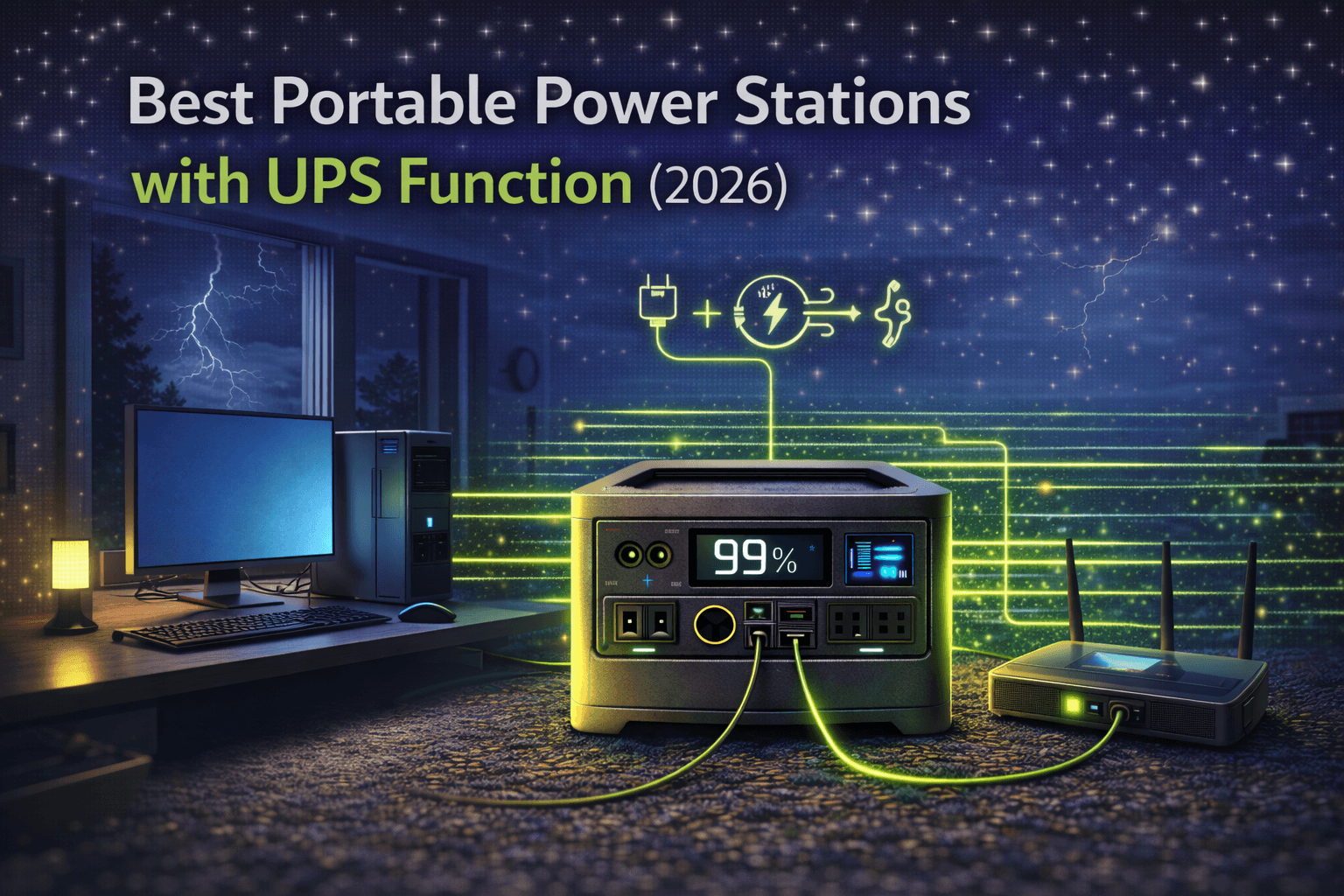
When your power goes out, your refrigerator can wait. Your desktop computer can’t. Neither can your NAS, your home security system, or the CPAP machine keeping you breathing at night.
That’s where UPS (Uninterruptible Power Supply) function matters. A power station with genuine UPS capability stays connected to the wall, feeds grid power to your devices, and the instant the grid drops, switches to battery so fast your equipment never notices. No shutdown. No data loss. No crash mid-render.
The problem: nearly every power station manufacturer slaps “UPS mode” on their marketing without telling you the one number that actually matters — switchover time in milliseconds. And that number determines whether your computer keeps running or hits the floor.
This guide cuts through the marketing fog with verified switchover specs, explains what those milliseconds actually mean for your equipment, and recommends three models that genuinely deliver for different budgets.
Note: This guide contains affiliate links. If you purchase through our links, we may earn a commission at no extra cost to you.
What UPS Switchover Time Actually Means
When grid power drops, a UPS-equipped power station detects the failure and switches to battery. That switch takes time — measured in milliseconds (ms). The question is whether your equipment can survive that brief gap.
The Millisecond Thresholds That Matter
Under 10ms — True computer-safe UPS. Desktop PCs, servers, and NAS devices stay running. Their internal power supply capacitors hold enough charge to bridge a sub-10ms gap without the system ever detecting an interruption. This is the gold standard, and it’s what dedicated rack-mount UPS units deliver.
10–20ms — Good for most equipment, borderline for some PCs. Modern desktops with quality power supplies (80 Plus Bronze or better) usually survive 20ms switchovers. Routers, modems, and network gear handle this fine. Most CPAP machines and medical devices continue without issue. But older PCs or budget power supplies may trip — you need to test with your specific equipment.
20–30ms — Fine for appliances, risky for computers. Refrigerators, lights, fans — no problem. Computers and servers? Likely shutdown. Network gear may reset. This is where most portable power stations actually land, despite their “UPS mode” marketing.
Over 30ms — Not UPS at all. This is just automated backup with a slight head start over plugging things in manually. Your computer will crash. Your NAS will interrupt writes. Don’t connect sensitive equipment.
Why Your Computer’s Power Supply Matters
Here’s the technical reality: your desktop PC’s power supply unit (PSU) contains capacitors that store a small amount of energy. When wall power disappears, those capacitors keep feeding the motherboard for roughly 10–17ms (varies by PSU quality). If the UPS delivers battery power before those capacitors deplete, the computer never knows anything happened.
Quality 80 Plus Gold PSUs typically hold for 16–17ms. Budget PSUs may hold for only 8–10ms. This is why a 20ms switchover might be fine for one computer but fatal for another.
The only reliable test: plug your computer into the power station in UPS mode, pull the wall plug, and watch what happens. No flicker, no shutdown notification, no hard drive clicking = your setup works. Any interruption = that switchover time isn’t fast enough for your specific hardware.
The Marketing Problem: What Manufacturers Actually Deliver
This is where things get uncomfortable. The original draft of this article claimed certain models deliver “under 10ms” and “verified 6-8ms” switchover. After thorough fact-checking against manufacturer specifications, independent reviews, and user testing, those numbers don’t hold up.
Here’s what the major brands actually deliver:
EcoFlow:
- Delta Pro (original): 30ms EPS switchover (EcoFlow’s own FAQ confirms this — it’s EPS, not true UPS)
- Delta 2 / Delta 2 Max: 20–30ms switchover
- RIVER 3 Plus: <10ms NAS-compliant true UPS (one of the few portable units with genuine sub-10ms)
- Delta Pro 3: <10ms (newer generation, improved UPS)
- Delta Pro Ultra: 0ms online UPS on specific direct-connection ports
Bluetti:
- AC200MAX, AC200L, AC200PL: ~20ms switchover (confirmed by multiple independent sources)
- AC300 series: ~20ms
Anker:
- PowerHouse 767: <20ms (Anker’s official spec, confirmed by independent testing at approximately 20ms)
- PowerHouse 757: <20ms
Jackery:
- Explorer 1500 Ultra: <20ms
The reality: most mainstream portable power stations deliver 20–30ms switchover. That’s adequate for network gear, CPAP machines, and modern computers with good PSUs — but it’s not the “under 10ms true UPS” that some marketing implies.
If you need guaranteed sub-10ms for mission-critical computing, the EcoFlow RIVER 3 Plus or Delta Pro 3 are currently the standout options. Traditional dedicated UPS units (APC, CyberPower) remain the gold standard for sub-5ms switchover protecting servers.
Best Portable Power Stations with UPS Function
1. EcoFlow Delta Pro 3 — Best True UPS Performance
The Delta Pro 3 is EcoFlow’s current flagship, and it’s one of the few portable power stations that actually delivers sub-10ms switchover — verified NAS-compliant UPS rather than the looser “EPS” designation on older models. For anyone protecting computers, servers, or NAS devices where a 20ms gap is unacceptable, this is the unit to get.
| Spec | Detail |
|---|---|
| Switchover Time | <10ms (NAS-compliant UPS) |
| Capacity | 4,096Wh |
| AC Output | 4,000W continuous |
| Battery | LiFePO4, 4,000+ cycles |
| Expandable | Up to 48kWh |
| Weight | 112 lbs |
| AC Recharge | ~2.7 hours |
| Price | $3,199–3,699 |
Why it works for UPS: The sub-10ms switchover means your desktop PC continues operating without detecting any power change — no screen flicker, no “running on battery” notification, no hard drive panic. This actually qualifies as UPS rather than the EPS (Emergency Power Supply) that most competitors provide.
The 4,096Wh capacity provides serious backup runtime. A typical work-from-home setup (desktop 180W + dual monitors 80W + router/modem 40W = 300W) runs for roughly 12 hours on a full charge. Even a power-hungry workstation at 500W gets 7+ hours.
The 4,000W output means you can protect a comprehensive equipment setup — multiple computers, network infrastructure, security cameras, and non-critical loads like a refrigerator — all through a single unit.
EcoFlow’s app provides real-time monitoring of grid power quality, UPS event logging, and battery status — genuinely useful for understanding your outage patterns and verifying the UPS is working correctly.
The downsides: At 112 lbs, this is permanent installation equipment. The $3,199–3,699 price is substantial. And for many home office setups where a 20ms switchover would work fine, it’s overkill — you’re paying a significant premium for that sub-10ms guarantee.
Pros:
- Verified <10ms switchover (genuine computer-safe UPS)
- Massive 4,096Wh (12+ hours typical office backup)
- 4,000W handles comprehensive equipment protection
- App monitoring with UPS event logging
- Expandable to 48kWh for whole-home systems
- LiFePO4, 4,000+ cycle longevity
Cons:
- $3,199–3,699 — serious investment
- 112 lbs — permanent installation only
- Overkill for single-computer protection
- Previous-gen Delta Pro had 30ms (verify you’re buying the Delta Pro 3)
2. EcoFlow RIVER 3 Plus — Best Affordable True UPS ($399)
Here’s the surprising pick: if your primary goal is genuine sub-10ms UPS protection for a desktop computer and network gear, the RIVER 3 Plus delivers it at a fraction of the Delta Pro 3’s price. EcoFlow specifically markets this as NAS-compliant UPS with <10ms switchover.
| Spec | Detail |
|---|---|
| Switchover Time | <10ms (NAS-compliant UPS) |
| Capacity | 286Wh |
| AC Output | 600W continuous |
| Battery | LiFePO4, 3,000+ cycles |
| Weight | ~8 lbs |
| AC Recharge | ~48 minutes |
| Price | ~$399 |
Why it makes the list: For a single desktop PC (150–250W) plus a router and modem (40W), 286Wh provides 60–90 minutes of backup. That’s enough to save your work, close applications properly, and shut down gracefully — or ride out a brief outage entirely.
The <10ms switchover is the same NAS-compliant standard as the Delta Pro 3. Your computer won’t flinch during a power cut. And at ~8 lbs, you can tuck this under your desk without dedicating significant space.
Where it falls short: 286Wh is limited. You’re not running a full workstation for hours. If you need all-day backup during extended outages, you need more capacity. The 600W output also limits what you can protect — a gaming PC pulling 400W+ with a high-end GPU will eat through capacity fast. This is a short-duration UPS for graceful shutdown or brief outage protection, not an all-day backup.
Pros:
- Verified <10ms NAS-compliant UPS — same standard as $3,000+ units
- $399 — most affordable genuine sub-10ms UPS power station
- ~8 lbs — fits under any desk
- 48-minute recharge (fast recovery between outages)
- LiFePO4 longevity
Cons:
- 286Wh — limited to 60–90 minutes for typical PC setup
- 600W output — no high-draw equipment
- Not suitable for extended outage backup
- No expansion capability
3. Anker PowerHouse 767 — Best Extended UPS Backup
The Anker 767 takes a different approach. Its 20ms switchover isn’t sub-10ms, but for most modern desktop PCs with decent power supplies, 20ms works — and you get 2,048Wh of LiFePO4 capacity plus a 5-year warranty. If your computer handles the switchover (test it), this becomes a serious extended-backup UPS at a more accessible price than the Delta Pro 3.
| Spec | Detail |
|---|---|
| Switchover Time | <20ms (EPS — test with your equipment) |
| Capacity | 2,048Wh |
| AC Output | 2,400W continuous (3,600W surge) |
| Battery | LiFePO4, 3,000 cycles |
| Expandable | To 4,096Wh with expansion battery |
| Weight | 67 lbs |
| AC Recharge | ~1.5 hours (HyperFlash) |
| Warranty | 5 years |
| Price | $1,699–2,199 |
Why it works for many UPS setups: 2,048Wh running a home office setup (desktop 150W + monitor 40W + router 25W + modem 15W = 230W) delivers roughly 8 hours of backup. That covers all but the most extended outages. Expand to 4,096Wh and you’re looking at 16+ hours.
The 2,400W output protects a comprehensive equipment load — multiple computers, network gear, a small refrigerator, and charging devices simultaneously.
The 1.5-hour recharge means if you get a brief grid restoration during rolling outages, you can recover significant capacity quickly.
The 5-year warranty (industry-leading for portable power stations) provides confidence for a device you’re relying on to protect expensive equipment.
The critical caveat: 20ms switchover means you MUST test with your specific computer. Plug everything in, pull the wall plug, observe. If your PC survives without flinching, you’re set for years of reliable UPS service. If it trips, this unit works great for network gear and appliances but not your PC — and you should look at the sub-10ms options above for computer protection.
Pros:
- 2,048Wh — 8+ hours typical office backup
- 5-year warranty (best in class)
- 2,400W covers comprehensive equipment loads
- Expandable to 4,096Wh
- 1.5-hour fast recharge
- Proven Anker build quality
Cons:
- 20ms switchover — not guaranteed computer-safe (test required)
- 67 lbs (semi-permanent installation)
- $1,699–2,199 pricing
- Bluetooth only (no Wi-Fi) for app control
UPS Setup: Getting It Right
Setting up a portable power station as a UPS isn’t complicated, but getting the details wrong defeats the purpose.
Initial Configuration
- Enable UPS/EPS mode — it’s often not on by default. Check settings via the display or app.
- Plug the station into the wall — UPS mode requires continuous grid connection.
- Connect critical equipment to the station’s outlets — this is your UPS-protected circuit.
- Fully charge the battery — a depleted battery can’t provide backup.
- Test the switchover — pull the wall plug with your equipment running. This is non-negotiable. Do it before you trust the setup with important work.
What to Connect (and What Not To)
Connect (critical loads): Desktop computer, monitors, NAS/server, router/modem, security system, CPAP or medical devices.
Don’t connect (waste of UPS capacity): Printers, speakers, desk lamps, phone chargers, space heaters. These can wait for manual reconnection after an outage. Every watt on your UPS reduces backup runtime for the equipment that actually matters.
Positioning
Keep the power station near your protected equipment with good ventilation — pass-through charging generates heat, and blocked vents reduce performance and lifespan. Under a desk works well for smaller units. Larger units need a dedicated spot in a closet or utility area.
Ongoing Maintenance
Test monthly by simulating an outage (unplug from wall). Check that battery capacity hasn’t degraded significantly — a yearly full discharge/recharge cycle verifies actual capacity. Keep firmware updated. Our maintenance guide covers long-term battery health in detail.
UPS Function vs. Pass-Through Charging: Know the Difference
This trips up more buyers than anything else. Pass-through charging means grid power flows through the station to your devices while the battery charges. That’s a convenience feature — not backup protection.
When the grid drops on a pass-through-only unit, power to your devices stops immediately. You then manually switch to battery output. Your computer has already crashed.
UPS function = pass-through + automatic instant switchover. The station detects grid failure and flips to battery before your equipment notices. The switchover time (10ms, 20ms, 30ms) determines which equipment survives the transition.
Don’t assume pass-through means UPS. If the manufacturer doesn’t specify a switchover time in milliseconds, assume it’s pass-through only and won’t protect your computer.
For a broader understanding of how this feature works across different models, our buying mistakes guide covers this as one of the most common errors.
How Long Will UPS Backup Last?
Quick runtime formula: (Capacity × 0.85 efficiency) ÷ Load = Hours
Typical home office (desktop + monitor + network = 230W):
- 286Wh (RIVER 3 Plus): ~1 hour
- 2,048Wh (Anker 767): ~7.5 hours
- 4,096Wh (Delta Pro 3): ~15 hours
Network only (router + modem + WiFi = 50W):
- 286Wh: ~4.8 hours
- 2,048Wh: ~34 hours
- 4,096Wh: ~69 hours
Workstation (high-end desktop + dual monitors + peripherals = 450W):
- 2,048Wh: ~3.8 hours
- 4,096Wh: ~7.7 hours
Pro tip: If a long outage exhausts your PC backup, switch to network-only mode. Keep the router and modem running on UPS while using your laptop (with its own battery) for work over WiFi. This dramatically extends usable backup duration. For detailed calculations, our runtime calculator covers every scenario.
Our Verdict
For guaranteed computer-safe UPS (sub-10ms):
- Big budget / extended backup: EcoFlow Delta Pro 3 ($3,199–3,699) — 4,096Wh, 12+ hours, expandable to 48kWh. The complete solution.
- Affordable / short-duration UPS: EcoFlow RIVER 3 Plus (~$399) — Same <10ms switchover, 60–90 minutes of backup. Perfect for graceful shutdown protection at budget pricing.
For 20ms switchover (test with your equipment first):
- Anker PowerHouse 767 ($1,699–2,199) — 2,048Wh with 5-year warranty, expandable to 4,096Wh. If your PC handles the 20ms gap, this is the best value for extended UPS backup.
The honest bottom line: If you need bulletproof sub-10ms UPS for computers, the EcoFlow RIVER 3 Plus or Delta Pro 3 are your options. If 20ms works for your equipment (and it works for most modern PCs), the Anker 767 provides far more capacity per dollar with the best warranty in the business.
For broader buying guidance, our complete buyer’s guide and how to choose guide cover all use cases beyond UPS.