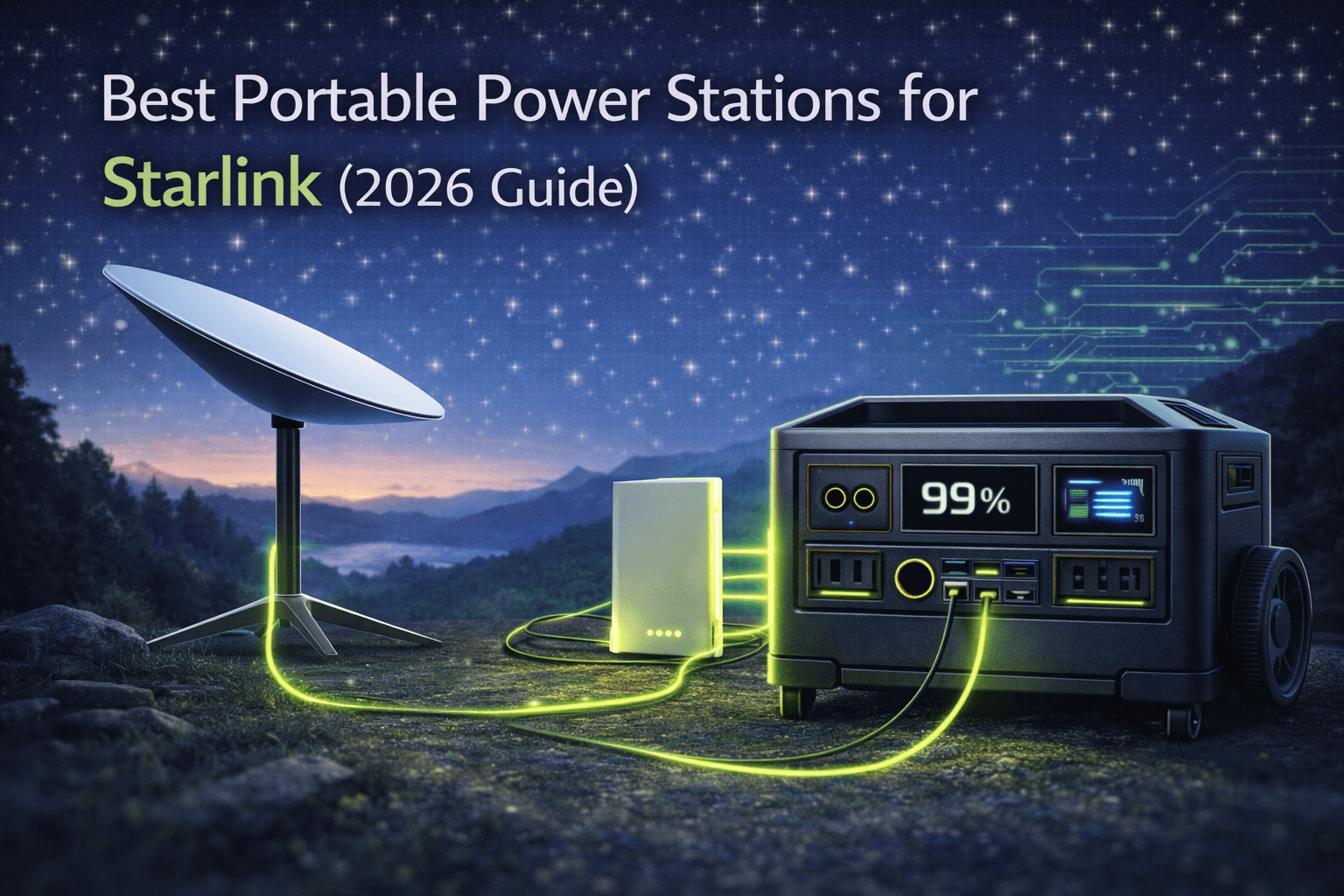
Starlink solves a problem no amount of portable power can fix on its own: getting usable internet where no wired or cellular infrastructure exists. Cable, DSL, fiber—they all assume a fixed location with buried or aerial lines. Cellular data runs out of tower coverage or chokes on congestion. Starlink’s low-earth-orbit constellation delivers workable broadband anywhere you can see the sky: remote valleys, desert boondocking spots, offshore anchorages, mountain cabins, and disaster zones where terrestrial networks have gone dark.
The catch is that every Starlink dish—Standard, High Performance, or Mini—needs continuous power to run its phased-array antenna, modem, and router. This is not a device you charge for an hour and put away. It draws power the entire time it’s online, which makes it fundamentally different from phones, laptops, or LED lights as a portable power load.
That’s where portable power stations come in. Paired with solar, they turn Starlink into a genuinely mobile satellite internet solution. RV workers can put in a full day from a national park and stream in the evening without firing up a generator. Van life nomads can upload footage from a trailhead. Emergency teams can drop a dish with a battery and a fold-out solar array in a blackout zone and have a usable uplink within minutes.
But sizing a power system for Starlink requires more care than for casual camping loads. A fridge cycles on and off. Lights run only at night. Starlink tends to run all day—or all day and all night—unless you deliberately schedule sleep windows. At 60–75W for a Standard dish, that’s roughly 1.4–1.8 kWh per day. Over a week, that’s 10–12 kWh, which no single power station covers without solar, alternator charging, or generator help.
For remote workers and digital nomads, this is a business decision. A contractor billing $400–$800 for a focused work day can’t afford to lose a week of income because an undersized battery or a cloudy stretch took Starlink offline. The recurring Starlink subscription and the one-time cost of a proper power and solar setup become infrastructure—like a laptop or a camera kit. Treated that way, the payback is fast.
This guide covers the full picture: real Starlink power consumption by model, runtime estimates for common battery sizes, practical solar sizing, and three portable power stations that pair well with satellite internet. It also walks through real-world setups for full-time RV work, van life, off-grid cabins, and emergency deployments.
Note: This guide contains affiliate links. If you purchase through our links, we may earn a commission at no extra cost to you. This helps support our testing and content creation.
Starlink Power Consumption by Model
Starlink’s actual draw depends on hardware generation, weather, and usage pattern. The numbers are now well-documented across manufacturer specs, vendor guides, and independent field measurements, and they’re consistent enough to plan around.
The three hardware families—Standard, High Performance, and Mini—create very different design targets for an off-grid power system.
Starlink Standard (Gen 2) draws roughly 50–75W during active use, dropping to around 20W idle. Over a 24-hour period with mixed active and idle time, expect about 1.2–1.8 kWh/day. Long-term users commonly report daily consumption in the 1.2–1.5 kWh range during typical use with moderate browsing, some video calls, and evening streaming.
Starlink Standard (Gen 3) runs slightly higher, in the 75–100W band during active use according to independent measurements. The Gen 3 dish includes a separate power supply brick and draws up to 2.5A. If you’re buying a new Standard kit today, plan for the upper end of the Standard range.
Starlink High Performance / Flat High Performance jumps to 110–150W active, about 45W idle. That translates to roughly 2.6–3.6 kWh/day running continuously—approaching the daily consumption of a small refrigerator. This hardware demands cabin-scale energy budgets.
Starlink Mini is the efficiency standout. Average draw sits in the 20–40W range during active use, with idle around 15W. Real-world measurements from users running Mini on DC power (bypassing AC conversion losses) show averages often settling near 20–25W after boot-up stabilizes, with the system cycling between roughly 11W and 38W depending on data activity. Daily consumption runs about 0.4–1.0 kWh/day depending on hours of use.
What Pushes Consumption Up
Weather is the biggest variable. Snow-melt mode and extreme cold push consumption hard—a Standard dish that averages 60–65W on a clear mild day can spike to 90–110W when heaters run frequently. Heavy rain and cloud cover force the dish to work harder maintaining satellite links, also increasing draw.
Obstructions matter too. If your dish has partial tree cover or building interference, it burns more power constantly hunting for satellite connections. Moving the dish to a clearer spot typically reduces both power draw and connection drops.
Usage pattern has less impact than you might expect. The difference between light browsing and heavy streaming is modest compared to the difference between having the system powered on for 24 hours versus 8–12 hours. From a power planning perspective, the first question is not “How much bandwidth do I need?” but “How many hours per day do I actually need connectivity?”
Planning Baselines
For system sizing, use these daily estimates:
- Standard dish (Gen 2), mixed use: ~1.5 kWh/day
- Standard dish (Gen 3), mixed use: ~1.8 kWh/day
- Mini, intensive work hours + light evening: ~0.7 kWh/day
- High Performance, continuous: ~3.0 kWh/day (this guide focuses on Standard and Mini; High Performance users need cabin-scale solar systems)
If you want to learn how capacity translates to real-world runtime across different loads, our portable power station capacity guide breaks down the math in detail.
Starlink Runtime Calculations
Once you know daily watt-hour consumption, estimating battery runtime is straightforward. Divide usable capacity by average draw. The nuance is deciding whether you’re designing for short bursts (an 8-hour work block) or continuous 24/7 connectivity, and whether solar will be recharging during the day.
Pure Battery Runtime (No Recharge)
Standard Starlink (68W average, ~1.6 kWh/day):
- 1000 Wh → ~14–15 hours
- 1500 Wh → ~22 hours
- 2000 Wh → ~29 hours
- 3600 Wh → ~52–53 hours
Starlink Mini (30W average, ~0.7 kWh/day):
- 1000 Wh → ~33 hours
- 1500 Wh → ~50 hours
- 2000 Wh → ~66 hours
- 3600 Wh → ~120 hours
These assume continuous operation. If you only run Starlink for an 8–10 hour workday, the math shifts dramatically. A 1000 Wh station with a Standard dish at 68W comfortably covers a full workday and still has margin for a few hours of evening use. A 1000 Wh station with a Mini can cover two to three full workdays without a recharge.
If you want to calculate runtime for your specific setup—factoring in other loads alongside Starlink—our runtime calculator walks through the formula step by step.
Solar Sizing for Continuous Starlink
For anything beyond a weekend, solar becomes the critical multiplier. To keep Starlink running indefinitely, your daily solar harvest must at least match your Starlink daily draw, after accounting for weather, panel angle, and conversion losses. A reasonable real-world derating is about 30% off panel nameplate over usable sun hours.
Approximate solar needed (assuming 5 peak sun hours/day, 70% real-world efficiency):
- Standard Starlink (~1.5 kWh/day): 1500 ÷ (5 × 0.7) ≈ 430W → budget 500–600W minimum, 800W for weather margin
- Starlink Mini (~0.7 kWh/day): 700 ÷ (5 × 0.7) ≈ 200W → budget 250–400W
Off-grid Starlink users consistently report that 600–800W of solar paired with a 2–3.6 kWh battery sustains Standard hardware indefinitely through normal sunny seasons, with the battery absorbing cloudy-day deficits and occasional generator or alternator charging filling gaps during prolonged storms. Mini users typically get by with 300–400W of solar and a 1–2 kWh battery for consistent workday connectivity.
For a deeper dive into pairing panels with portable power stations, see our solar panel setup and sizing guide.
The bottom line: a portable power station for Starlink is a system, not a single box. The battery sets your overnight and storm buffer. The panels determine whether that buffer recovers each day or slowly drains. Starlink’s continuous nature means both pieces must be sized for 24/7 behavior, not a few evening hours of use.
Best Portable Power Stations for Starlink
Not every portable power station works equally well for satellite internet. The traits that matter most: enough capacity to ride through nights and clouds, high solar input for daily recovery, reliable pure sine wave output, and proven durability. Here are three strong picks across different tiers of Starlink use.
1. EcoFlow DELTA Pro — Best Full-System Anchor for Standard Starlink
The EcoFlow DELTA Pro sits at the top of the portable power spectrum, and its capabilities align directly with what continuous Starlink demands. With a 3600 Wh LiFePO4 battery, 3600W AC output, and up to 1600W of solar input through dual MPPT controllers, it serves as the core of a serious off-grid internet system where Starlink is just one of several constant loads. It fits best in RVs, off-grid cabins, and mobile offices where satellite internet uptime directly affects income.
At a 68W Standard Starlink average, the DELTA Pro delivers roughly 52–53 hours of continuous runtime on battery alone—over two full days. With a Mini at 30W, that stretches past four days. Pair it with 800–1200W of solar, and the DELTA Pro can meet Starlink’s daily 1.5 kWh requirement while also covering laptops, a fridge, and lighting, with capacity left to recharge its own buffer on good-sun days.
Key specs for Starlink use:
- Capacity: 3600 Wh LiFePO4, expandable to 25 kWh
- Solar input: up to 1600W (dual MPPT)
- AC output: 3600W continuous (7200W with two units)
- Runtime, Standard Starlink (~68W): ~52–53 hours
- Runtime, Starlink Mini (~30W): ~120 hours
- Weight: 99 lbs (45 kg), on wheels
- Charge time: ~2.7 hours AC
- Warranty: 5 years
In practice, a cabin or RV with 1.2 kW of solar and a DELTA Pro can run Standard Starlink, a DC fridge, and a modest office load indefinitely through normal weather, with multiple days of reserve in the battery for storms. The 1600W solar input means the system recovers quickly from deep discharges rather than limping along for days after bad weather.
The trade-offs are weight and cost. At 99 lbs, the DELTA Pro is something you wheel into place and leave. It’s semi-permanent equipment. Pricing sits in the premium tier, typically $1,599–$3,699 depending on configuration. For part-time van trips or weekend campsite internet, it’s overkill. For full-time off-grid professionals who equate Starlink uptime with income, it’s a rational cornerstone.
If you’re evaluating the broader EcoFlow ecosystem, our EcoFlow guide covers every model in the lineup.
2. Jackery Explorer 2000 Plus — Best Starlink Value Platform
The Jackery Explorer 2000 Plus offers a more accessible balance of capacity, price, and ecosystem maturity. Its 2042 Wh LiFePO4 battery is large enough to support a full Standard Starlink day and then some, while the 4000-cycle battery rating means this unit will be running long after your current dish is obsolete.
At a 68W average draw, the Explorer 2000 Plus delivers roughly 30 hours of Standard Starlink runtime on battery alone. With a Mini at 30W, that rises to about 68 hours. Solar input reaches up to 1400W with six SolarSaga 200W panels, giving it serious recharge capability that keeps pace with Standard Starlink’s daily draw even in less-than-ideal sun.
Key specs for Starlink use:
- Capacity: 2042 Wh LiFePO4, expandable to 12 kWh
- Solar input: up to 1400W (6× panels)
- AC output: 3000W continuous (6000W surge)
- Runtime, Standard Starlink (~68W): ~30 hours
- Runtime, Starlink Mini (~30W): ~68 hours
- Weight: 60 lbs (27.2 kg)
- Charge time: ~2 hours AC
- Battery cycles: 4000 (industry-leading longevity)
- Warranty: 3 years (5 years extended)
In a typical RV or van setup with 600W of solar, the Explorer 2000 Plus covers Standard Starlink’s daily 1.5 kWh and a laptop or two while gradually recharging in decent weather. Overcast days shift some burden to stored energy, but a roughly two-day buffer handles most weather gaps until the sun returns or you can top off via alternator or campground power.
Jackery’s ecosystem is mature and well-documented. Their Starlink integration guidance aligns with independent measurements, which matters when you’re troubleshooting in the field. The 4000-cycle battery is a standout—at $0.50 per cycle, the long-term economics are hard to beat.
For a detailed look at the full Jackery lineup, see our Jackery guide.
Check Price on Jackery
Also on Amazon
3. Anker SOLIX F2000 — Best Smart Starlink Companion with UPS
The Anker SOLIX F2000 brings a feature set that’s particularly relevant for Starlink: 20-millisecond UPS switchover. If you’re running Starlink at a location with intermittent grid or generator power, the F2000 can sit inline and seamlessly take over when external power drops—no reconnection, no Starlink reboot, no dropped video calls. That alone makes it worth considering for remote work setups where connection continuity is critical.
With 2048 Wh of LiFePO4 storage, the F2000 is capacity-equivalent to the Jackery 2000 Plus. Runtime math is similar: about 30 hours for Standard Starlink at 68W, roughly 68 hours with a Mini at 30W. Solar input reaches up to 1000W, enough for a 400–600W panel array that covers Mini’s daily needs comfortably and makes a serious dent in Standard’s requirements.
Key specs for Starlink use:
- Capacity: 2048 Wh LiFePO4, expandable to 4096 Wh
- Solar input: up to 1000W
- AC output: 2400W continuous (3600W surge)
- UPS switchover: 20 ms
- Runtime, Standard Starlink (~68W): ~30 hours
- Runtime, Starlink Mini (~30W): ~68 hours
- Weight: 67.2 lbs (30.5 kg), wheels and retractable handle
- Charge time: 0–80% in 1.4 hours (AC)
- Battery cycles: 3000+
- Warranty: 5 years
The F2000 isn’t the lightest option in this capacity class—at 67 lbs, it’s heavier than the Jackery 2000 Plus. But Anker compensated with a thoughtful wheel-and-handle design that makes it genuinely rollable over rough ground. The 5-year warranty, solid app with Bluetooth control, and the UPS function round out a package that fits well in semi-mobile setups: RV bays, garage staging areas, or cabins where you want seamless power failover for your Starlink connection.
Where the F2000 falls short compared to the DELTA Pro is expansion headroom (max 4096 Wh versus 25 kWh) and solar input ceiling (1000W versus 1600W). For cabin-scale installations with kilowatts of panels, you’ll outgrow it. For a Mini-based van setup or a Standard Starlink RV office with moderate solar, it’s a smart pick.
Real-World Starlink Power Setups
Theory translates to gear choices when you see how different scenarios play out. The right combination depends on how often you move, how critical uptime is, and how much other load you’re running alongside Starlink.
Full-Time RV Remote Worker (Standard Starlink)
A full-time remote worker in a motorhome is operating a rolling office. Starlink often stays on 24/7 for work, security cameras, and smart devices. The proven setup: a 2–3.6 kWh station paired with 600–1200W of roof-mounted solar. The battery covers nights and storms, the panels refill daily, and shore power or a generator serves as the third line of defense.
Typical daily budget: Starlink ~1.5 kWh + laptop ~0.3 kWh + fridge ~1.0 kWh + lighting/misc ~0.3 kWh = ~3.1 kWh. A DELTA Pro with 1.2 kW of roof solar handles this sustainably in three-season conditions. In winter or extended cloud cover, alternator top-ups during travel days or a few hours of generator runtime bridge the gap.
The cost of this infrastructure is offset quickly by the ability to earn a full income from dispersed camping spots that cost nothing, rather than being tethered to RV parks with hookups at $40–$60/night.
For more on RV power station setups, including wiring and installation tips, our RV guide covers the complete picture.
Van-Based Content Creator (Starlink Mini)
A content creator using Starlink Mini usually needs scheduled connectivity rather than 24/7 uptime. Turning the system on for a 6–10 hour work block—uploading footage, editing, publishing, handling email—reduces daily energy needs sharply. At 30W average for 8 hours, that’s only 240 Wh for Starlink alone.
A 1.5–2 kWh portable power station with 300–400W of deployable solar handles this comfortably. If you time editing and rendering for peak sun hours, the panels recharge while you work. Mini’s low power draw makes this lightweight, flexible workflow realistic in ways that a Standard dish simply can’t match.
The van life guide has more on sizing for nomadic setups.
Off-Grid Cabin (Standard Starlink, Permanent)
Here, satellite internet is part of the property’s basic utility stack alongside water and heat. Many cabin owners install 3.6 kWh or larger battery systems, sometimes with expansion packs, and 1.2–1.6 kW of solar or more. In winter, snow-melt modes and shorter sun hours push the system hard, making both a large battery buffer and a backup generator essential.
The payoff: a property that supports remote work and modern communication year-round without grid power. The off-grid living guide covers permanent installation considerations.
Emergency / Field Deployment
Emergency setups prioritize resilience and rapid deployment over comfort. The typical pattern: a Standard or Mini dish, a 1–2 kWh portable power station, and several portable solar panels staged in a go-kit. The goal is a basic command post with connectivity anywhere vehicles can reach. Redundancy—two smaller stations instead of one large one—can be a rational choice, since losing a single unit doesn’t take the whole system offline.
Our emergency preparedness guide covers go-kit assembly in detail.
Across All Scenarios
The common thread: satellite internet power must be treated as a continuous, infrastructure-class load. That mindset pushes you toward slightly larger batteries, more solar, and a more deliberate approach to scheduling connectivity than casual gadget charging ever demands.
Frequently Asked Questions
How long will a portable power station run Starlink?
It depends on your dish model and battery size. A Standard dish averaging 60–75W gets roughly 14–16 hours from a 1000 Wh station, about 22 hours from 1500 Wh, around 29–30 hours from 2000 Wh, and 52+ hours from 3600 Wh. A Mini averaging 25–35W roughly doubles those figures.
Actual results can swing 30% or more depending on whether you run 24/7, how hard snow-melt mode works, and whether obstructions force the dish to hunt for connections. The single most powerful lever for extending runtime: schedule sleep windows to shut Starlink down during hours when nobody needs connectivity.
How much solar do I need to run Starlink indefinitely off-grid?
For a Standard dish (~1.5 kWh/day): plan 500–600W minimum in a moderate climate, paired with at least 2 kWh of battery storage. Many RV and cabin users find success with 600–800W. For Mini (~0.7 kWh/day): a 300–400W array plus 1–2 kWh of storage sustains daily work blocks and modest evening use in decent conditions.
At higher latitudes or in winter, shorter days and lower sun angles warrant further oversizing. A backup generator is strongly recommended for any setup that depends on Starlink through winter months.
Is Starlink Mini worth switching to just for lower power draw?
For power-constrained setups, Mini’s efficiency can be the deciding factor. At 20–40W active versus 50–75W for a Gen 2 Standard dish, you’re cutting daily consumption roughly in half. That translates directly into smaller batteries, smaller solar arrays, or significantly more runtime from the same hardware.
The trade-offs are real: Mini offers lower peak throughput, is designed for personal or small-group use, and has different mounting options. If your work genuinely needs the bandwidth and robustness of a Standard or High Performance dish, power savings alone may not justify the switch. But for a solo remote worker or couple in a van, Mini is often the smarter choice.
Can I power Starlink from DC to avoid inverter losses?
Yes, and it’s worth doing when possible. Starlink Mini in particular supports DC input (12–48V) via USB-C or a DC barrel connector, letting you skip the DC → AC → DC conversion path that typically wastes 10–15% of your stored energy. Over a full day, that adds up—especially when you’re pushing the limits of a smaller battery.
Standard dishes are trickier. The Gen 2 router integrates the power supply and expects AC input. Some users have built custom 48V DC supplies that feed the dish’s PoE directly, bypassing the inverter, but this requires electrical knowledge and carries warranty risk. For most people with Standard hardware, running through a quality pure sine wave inverter is the safer and simpler path.
What size portable power station is enough for Starlink?
For workday-only use with Mini (8 hours at ~30W = 240 Wh + margin): a 500–1000 Wh station works, though you’ll want solar for multi-day trips.
For full-day Standard Starlink (16–24 hours at ~68W = 1.1–1.6 kWh): a 2000 Wh station gives you comfortable single-day coverage with buffer. Add 600W of solar and you’re sustainable for multi-day stretches.
For 24/7 Standard Starlink plus other loads (RV or cabin with fridge, laptop, lights): 3600 Wh with 800–1200W of solar is the proven configuration for indefinite operation in good conditions.
Our buying guide helps you calculate exact needs based on all your loads, not just Starlink.
Wrapping Up
Portable power and Starlink together unlock remote connectivity that, a few years ago, required satellite trucks or dedicated microwave links. The same constellation that can feed a fiber-like connection to an off-grid cabin will keep a van-based editor online in a national park or maintain an emergency link in a blackout zone. The constraint isn’t coverage anymore—it’s whether you’ve planned your power system with the same seriousness you’d apply to any other piece of business infrastructure.
For continuous Standard Starlink, the practical baseline is a 2–3.6 kWh LiFePO4 portable power station and 500–800W of solar, tuned to your climate and usage pattern. For Mini-based setups focused on workday connectivity, 1–2 kWh of storage and 300–400W of solar gets the job done. Above those tiers sit full cabin systems with multiple batteries and kilowatts of PV. Below them are minimal “check in, upload, and shut down” kits.
Whatever tier you choose, the principles hold: design for realistic daily watt-hours, size solar to refill with margin, and pick hardware that’s proven in the field. Do that, and your Starlink power setup becomes an asset you rely on—not a fragile experiment that fails the first time clouds roll in.